Welcome
How can we help you today?
Add to your Home Screen
Get the app right on your phone — no App Store needed.
- Tap the ••• button at the very bottom of Safari.
- Tap Share.
- Swipe up and tap Add to Home Screen (near the bottom), then Add.
Hold your phone upright — the ••• button isn’t there in landscape.
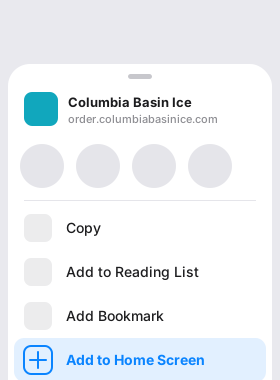
- Tap the Share button in the top-right of Safari.
- Tap Add to Home Screen, then Add.
To add the app, open this page in Safari first — this browser can’t add it to your Home Screen.
Tap your browser’s menu (often •••) and choose Open in Safari, then tap Install app again.
Install the app
Add the app to your computer — it opens in its own window, no tab needed.
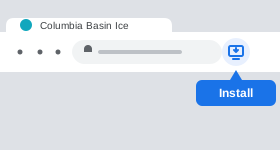
- Click the install icon at the right end of the address bar.
- Don’t see it? Open the ⋮ menu (top-right) and choose Install…, then Install.
Get the app on your phone — no Play Store needed.
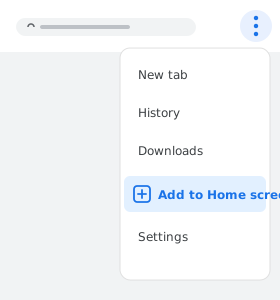
- Tap the ⋮ menu in the top-right of Chrome.
- Tap Add to Home screen (or Install app), then Install.